
If you run a business and haven’t heard of Google Business Profile, this is a good place to start. It’s one of the easiest and most powerful free tools available to help local customers find you. Let’s break it down in simple, easy words.
What Is a Google Business Profile?
It’s the free listing that shows up when someone searches for your business name, or searches for something like “bakery near me.” You’ve probably seen it before, a box on the right side of Google search results, or the map with pins when you search for something nearby.
It shows your business name, address, phone number, hours, photos, and reviews, all in one place.
Why Optimizing It Matters
Just having a profile isn’t enough. If it’s incomplete, outdated, or missing information, people might skip right past you and choose a competitor instead. A well-optimized profile helps you show up more often, and helps people trust you the moment they see it.
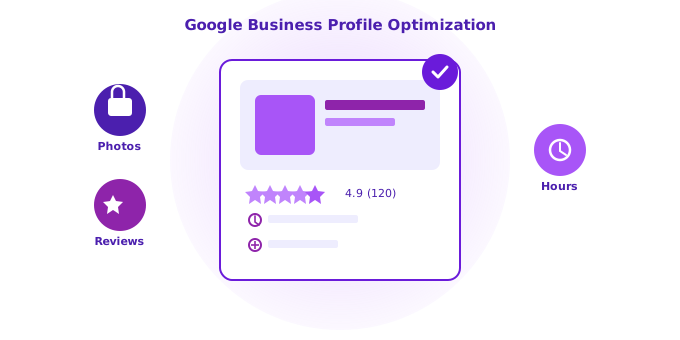
Simple Steps to Optimize Your Profile
1. Claim Your Profile First
If you haven’t already, search for your business on Google and claim your profile. This step alone makes sure you’re the one controlling the information people see.
2. Fill Out Every Section Completely
Don’t leave anything blank. Add your business name, address, phone number, website, hours, and category. The more complete your profile is, the more Google trusts it, and the more customers trust it too.
3. Choose the Right Business Category
This tells Google exactly what your business does. Picking the most accurate category helps you show up in the right searches, instead of getting lost among unrelated businesses.
4. Write a Clear, Simple Business Description
Explain what you do in plain words. Avoid fancy jargon. Focus on what makes your business helpful and easy to understand for someone seeing it for the very first time.
5. Add Real Photos
Photos of your storefront, products, team, or completed work help build trust instantly. Businesses with photos tend to get far more clicks and calls than those without.
6. Keep Your Hours Updated
Nothing frustrates customers more than showing up to a business that says it’s open but isn’t. Keep your hours accurate, especially during holidays or special events.
7. Collect and Respond to Reviews
Encourage happy customers to leave reviews, and always take a moment to reply, even with a simple thank you. This shows both customers and Google that your business is active and cares about its visitors.
8. Use Posts to Share Updates
Google Business Profile lets you post updates, similar to social media, about promotions, events, or news. Regular posts show Google that your business is active, which can help your visibility.
9. Add Questions and Answers
You can add common questions customers might ask, along with clear answers. This saves customers time and shows you understand what they’re looking for.
10. Check Your Insights Regularly
Google gives you simple data on how people find and interact with your profile, like calls, clicks, and direction requests. Checking this occasionally helps you understand what’s working and what needs improvement.
The Simple Truth
Optimizing your Google Business Profile isn’t complicated or technical. It just takes a little time and consistency. The businesses that keep their profiles accurate, active, and complete are usually the ones that show up first, and get chosen first too.
The Bottom Line
Your Google Business Profile is often the very first impression a potential customer has of your business. Taking the time to fill it out properly and keep it updated isn’t just a small task, it’s one of the simplest ways to bring more of the right customers straight to your door.